This website uses cookies to improve your experience. Please select whether you would like to accept our decline tracking technologies and cookies. https://getbiggerbrains.com/privacy-policy/ Read More
MeetnLearn brings Bigger Brains’ award-winning training library directly into your live Microsoft Teams meetings, making eLearning a social, collaborative experience.

The meeting organizer controls the training experience while attendees follow along together in real time.
Install the MeetnLearn app from the Teams App Store and add it to any scheduled Teams meeting. It takes just a few clicks.
The meeting organizer selects a training course from the full Bigger Brains library. The app loads it for all attendees to view together.
All meeting attendees watch the course in sync, with the organizer facilitating discussion, pausing for questions, and guiding the session.
MeetnLearn transforms solo eLearning courses into engaging group training sessions.
Access the complete Bigger Brains training library right inside your Teams meeting. Browse courses by topic, search for specific skills, and start learning immediately.


MeetnLearn is purpose-built for live Teams meetings. The meeting organizer controls the experience while all attendees can see and follow the course content together.
Attendees can join group training sessions from anywhere, on any device. MeetnLearn works on desktop and mobile Teams, so remote and on-the-go team members are never left out.
Choose from 260+ award-winning courses spanning essential workplace skills.
Master the tools your team uses every day with in-depth training on the full Microsoft 365 suite.
Deep dives into Excel, Word, Outlook, PowerPoint, Power BI, and other essential Microsoft applications.
Time management, email management, and other productivity skills to help your team work smarter.
Cybersecurity awareness, workplace harassment prevention, active shooter response, and other compliance training.
Active listening, empathy, designing beautiful documents, and other courses to improve team communication.
Stay ahead with training on AI tools, concepts, and additional software your team needs to know.
Here’s what group training looks like in a live Teams meeting.
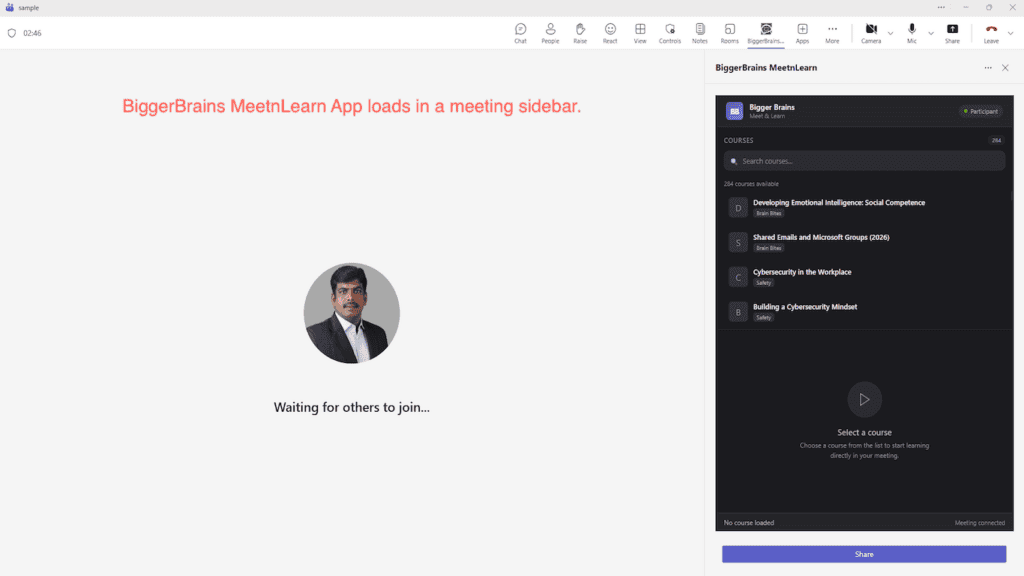
The app loads in the meeting sidebar, ready for participants to join.
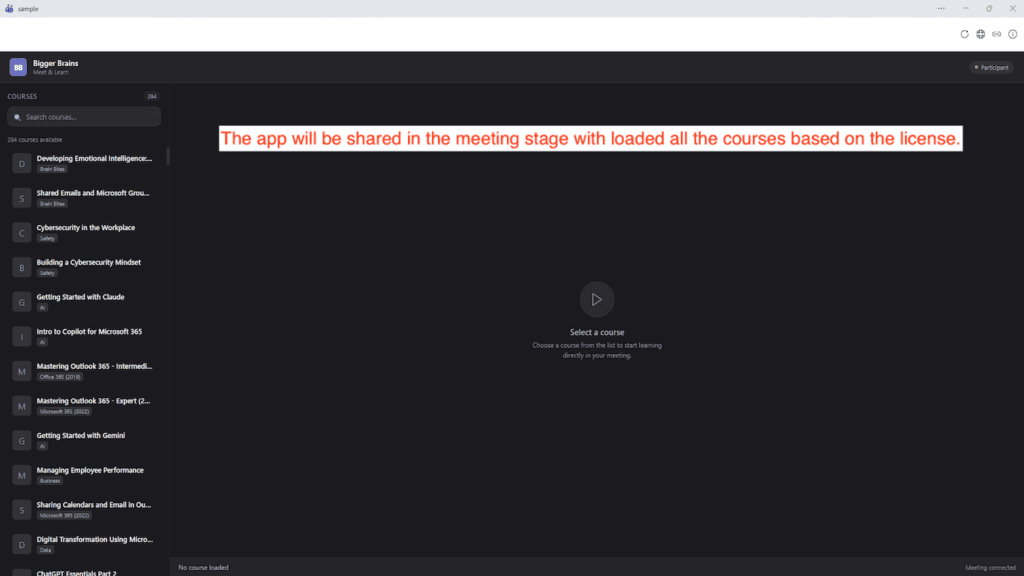
Courses load on the meeting stage, accessible to all attendees.
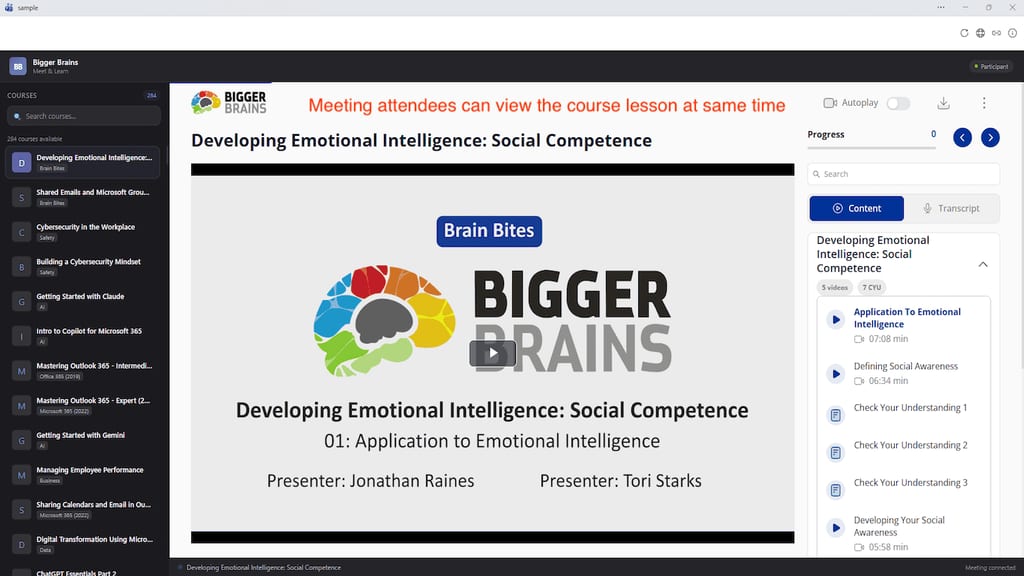
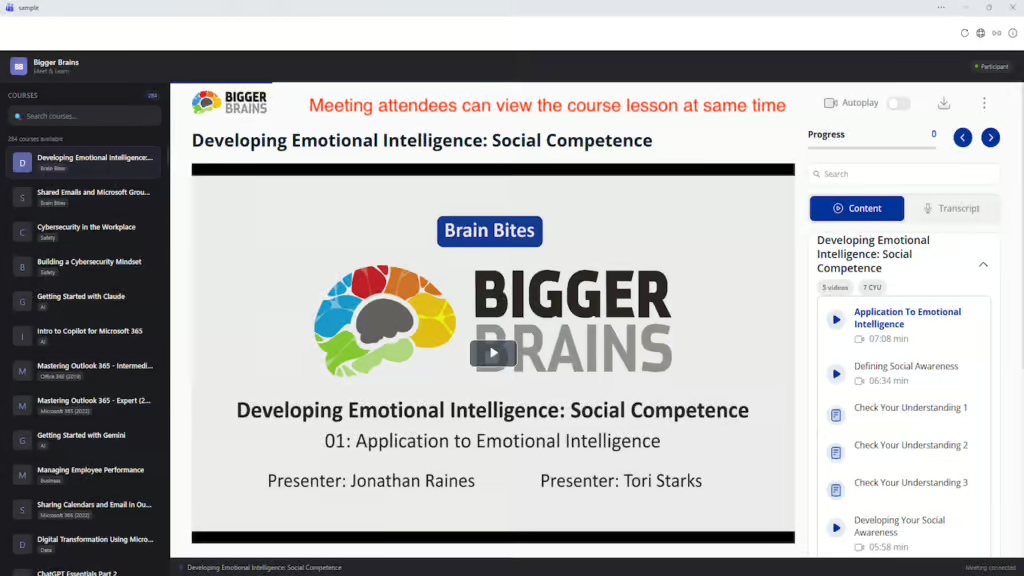
All attendees view the course lesson together with progress tracking.
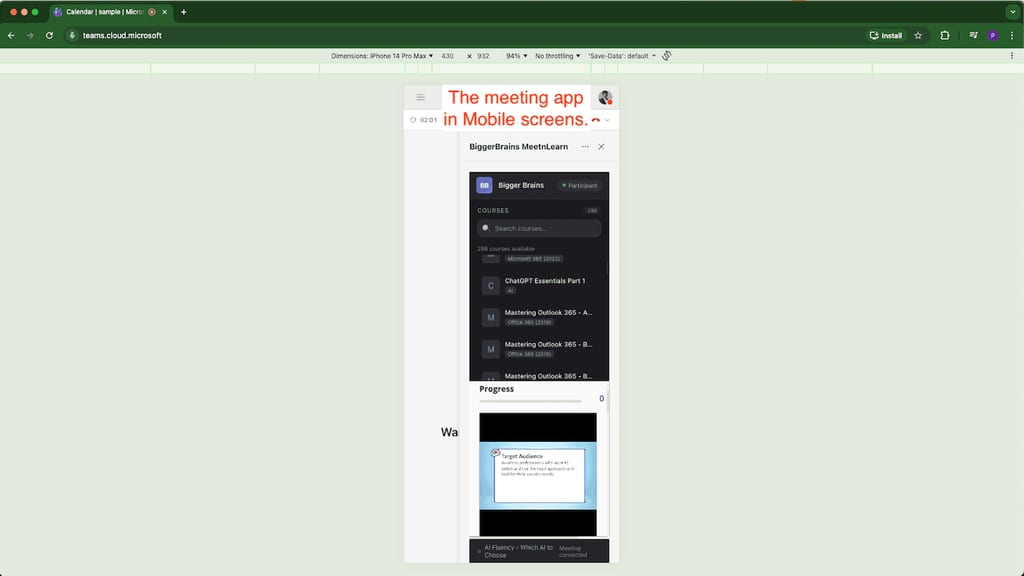
Join training sessions from your phone with full mobile support.
The MeetnLearn app is free to install. To access the full course library, the meeting organizer needs an active Bigger Brains subscription.
Perfect for trainers, team leads, and managers who want to bring group training to their meetings.
For organizations that want to empower multiple meeting organizers and enable team training company-wide.
Your subscription may already be provided by your IT support team or LMS administrator. Check with them first!
The existing Bigger Brains Teams app is for individual, self-paced learning within Teams. MeetnLearn is specifically designed for live group training sessions within Teams meetings, facilitated by the meeting organizer.
Only the meeting organizer needs an active Bigger Brains subscription. Attendees can view the training content shared during the meeting without their own subscription.
MeetnLearn is designed for live, group viewing during meetings. For individual access outside of meetings, check out the Bigger Brains eLearning app for Teams.
Yes! Attendees can join MeetnLearn training sessions from the Teams mobile app on both iOS and Android devices.
Your organization may already provide access through your IT team or LMS administrator. Individual and corporate licenses can also be purchased at GetBiggerBrains.com.
The full Bigger Brains library of 260+ courses is available, spanning Microsoft 365, productivity, cybersecurity, compliance, communication, AI, and more.
This website uses cookies to improve your experience. Please select whether you would like to accept our decline tracking technologies and cookies. https://getbiggerbrains.com/privacy-policy/ Read More
Preferences
Fill out the information below to receive a download link for our latest course catalog.